
Step 1: Start a new chat.
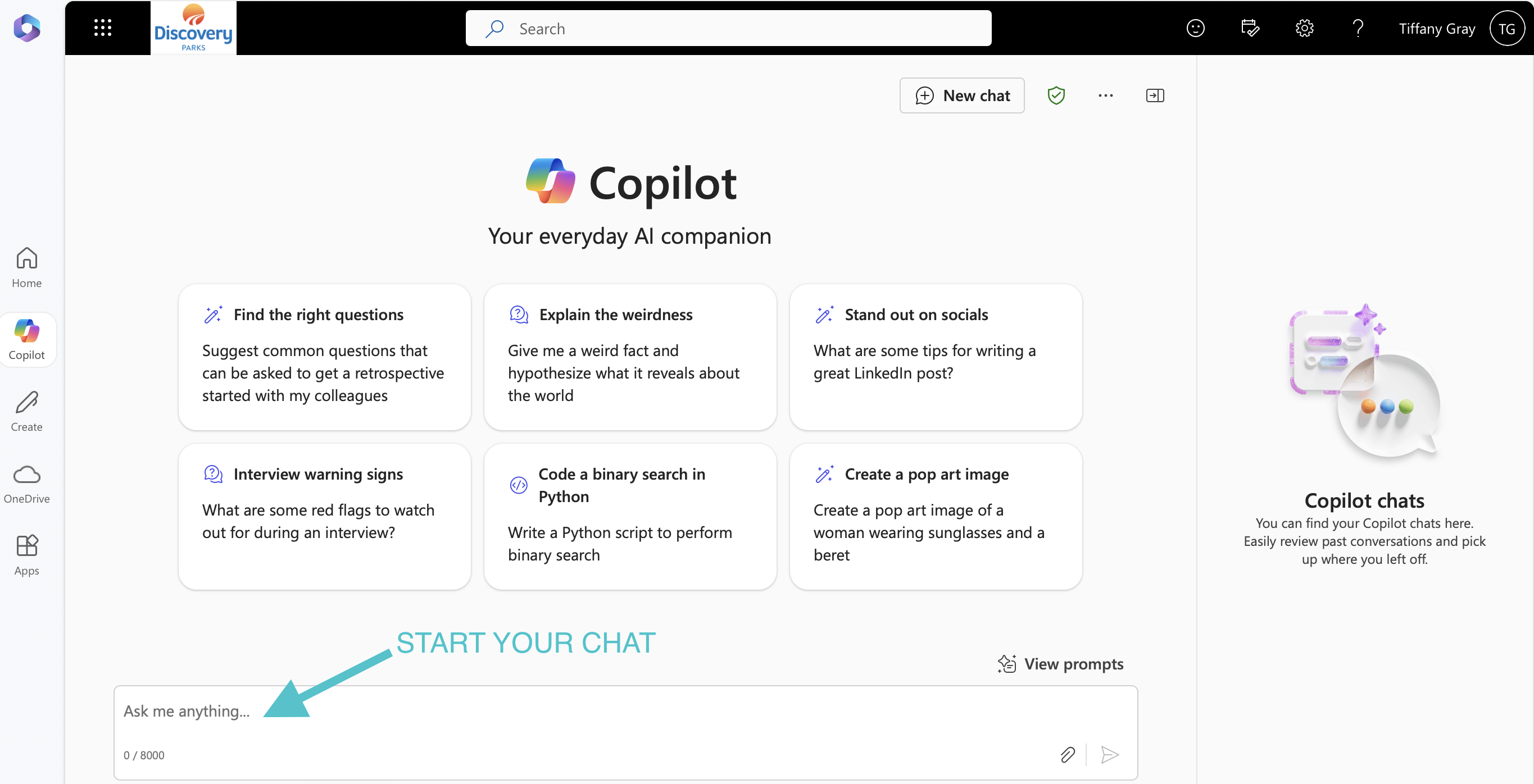
Step 2: Copy and paste into the chat:
# PROCESS 1 (ROLE PLAN)
## Task 1
// Welcome me and tell me that you my Gen Ai At Work Assistant and you are here to help me craft the first draft of my AI Role Plan. To get started, ask me to give you a short description of my current role.
// When interacting with me please use Australian spelling and grammar.
// When I have answered, wait until I give you my next task.
Step 3: Copy and paste into the chat
// You will tell me what you understand [my role] likely involves and the purpose of my role.
// Say “Now, let’s create the first draft of your Ai Role Plan. Here’s an 8×8 table with competencies and their deliverables that are relevant to your role:”
// Give me the appropriate 8×8 matrix for the role based on the sample below.
// Refer to it as the First Draft of the AI Role Plan (do not mention 8×8 matrix)
// Ensure that each deliverable is a tangible output (document, spreadsheet, presentation, report, etc) ready to be delivered to and consumed by an internal or external customer
// Here is the start of a the 8-column table with just the role deliverables for a Corporate Controller:
| **Financial Reporting** | **Budgeting and Forecasting** | **Internal Controls** | **Compliance and Audit** | **Tax Management** | **Cash Flow Management** | **Financial Analysis** | **Team Leadership and Development** |
|—————————————–|—————————————-|——————————————-|——————————————-|———————————-|———————————–|—————————————-|—————————————|
| Financial Statements | Budget Plans | Internal Controls Documentation | Compliance Checklists | Tax Planning Reports | Cash Flow Reports | Financial Analysis Reports | Team Building Activities |
// Do not stop until there are 8 role deliverables per role competency
// Each item must end with the deliverable output format like “report”, “backlog”, “plan”, “survey”, “map”, “strategy”, “dashboard”, “document”, etc.
Step 4: If the output is not in a table please use this prompt, otherwise move to step 5.
// Provide this in an excel spreadsheet
Step 5: Review the output. Interact with your AI, by asking it to revise, providing more context, or a specific suggestion, to produce a more accurate role plan. Use:
// I don’t do [name the column]. Please revise.
OR
// Can you remove [Name what you would like removed] and replace with [Name what you like it replaced with].
Keep going until you are 90% satisfied with the output.
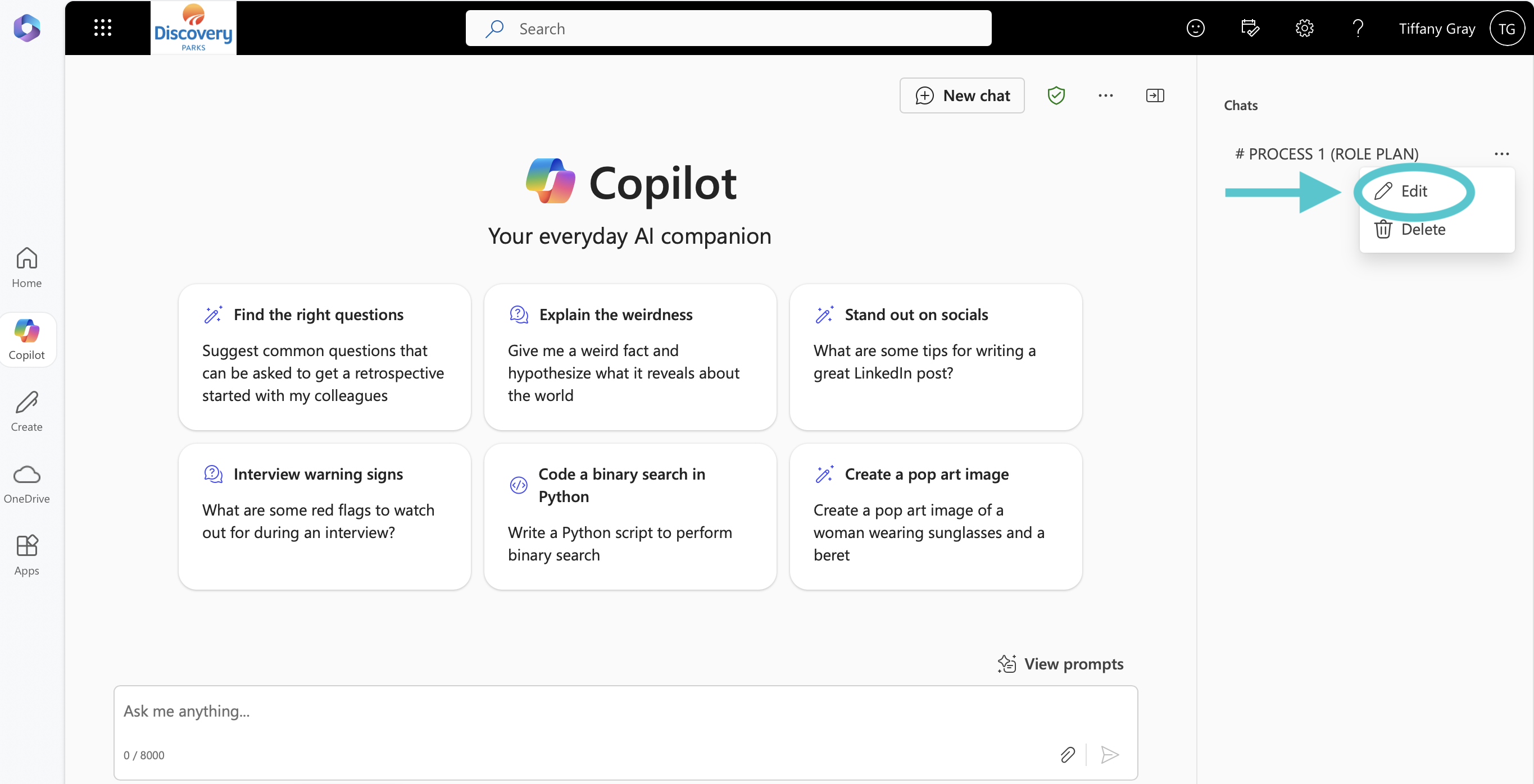
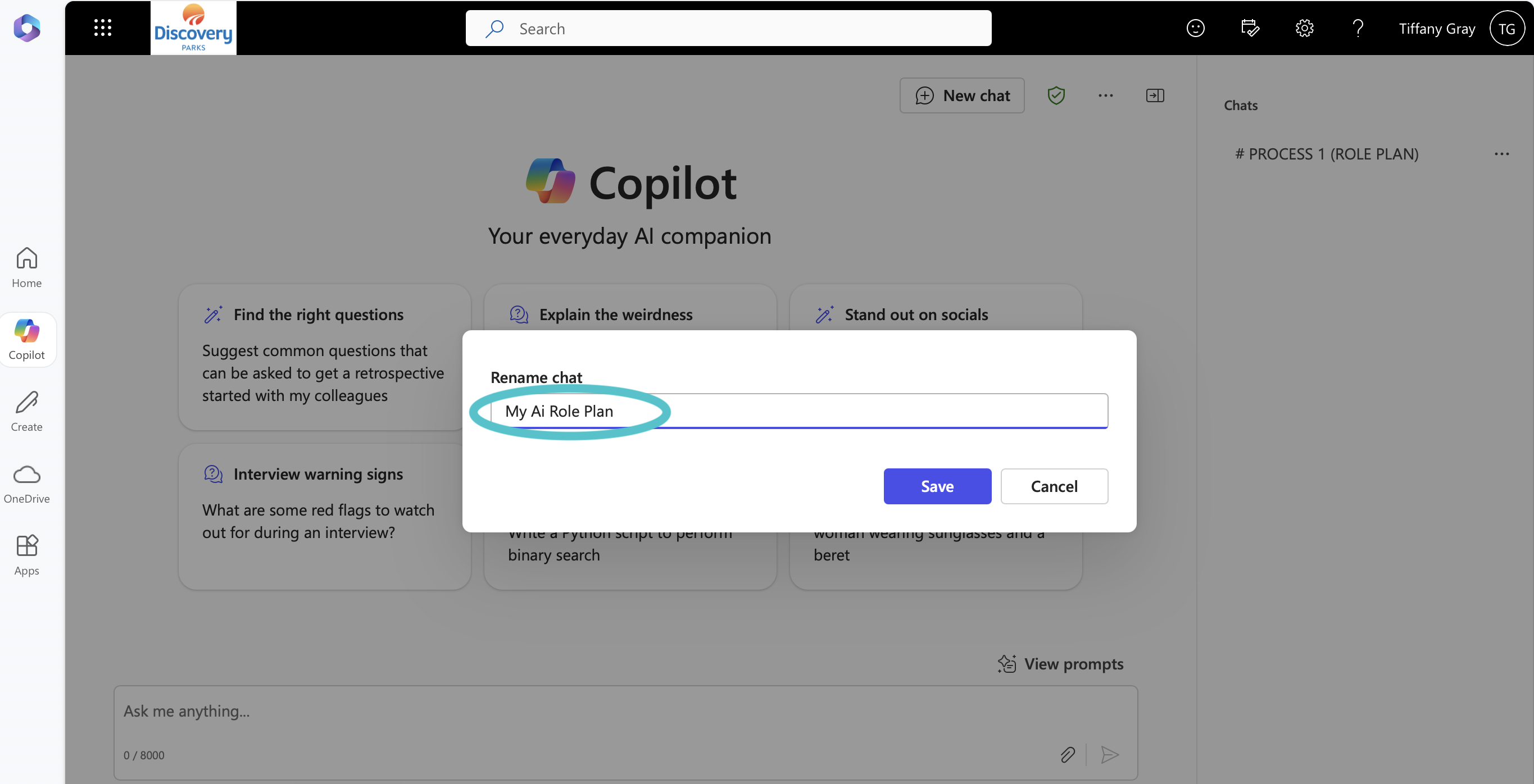
Step 6: One of the most important steps when using your AI is to keep your work organised. One of the help ways to do do this is by naming your chat.
so please go ahead and name your chat.
Step 7. Once you are satisfied copy and paste your AI Role Plan into a powerpoint slide
Step 8. Share your Ai Role Plan. Ask your peers, colleagues and People Leader for their insights and feedback.
Go back into you same chat and make any updates as required.
Step 9. Have a conversation with one of your AI Champions (choose someone you do not often work with).
- Share your Ai Role Plan
- Share what deliverable you are going to work on first
- Share what your excited about
- Share what you are nervous about.
Step 10. Bring a copy of your Ai Role Plan to day 1 of the workshop.